
Lucky Ones Casino App: Mobile Access, Download and Setup
Open the Lucky Ones casino app in your mobile browser to launch an available game, or add a home-screen icon for a quicker way back. The browser works without installing anything first. The steps below cover desktop, Android and iOS installation, sign-in from the saved icon, and basic access and password checks. For more information, visit the luckyones casino home page.
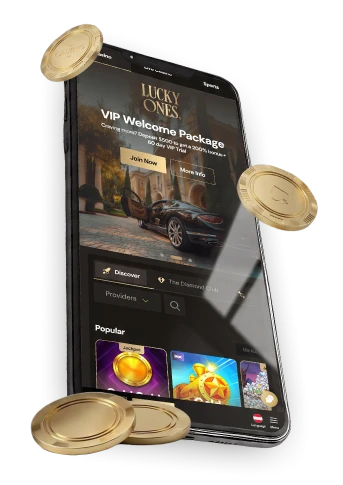
Mobile browser access or a home-screen icon
You don’t need to install anything to start playing. Open Lucky Ones casino in your phone’s browser and launch an available game shown on the casino home page. This is the simplest route if you want to visit without adding an icon to your device.
The LuckyOnes app is a browser-installed experience. Save its icon to your home screen for another route to account sign-in.
The choice needn’t be permanent. You can try the mobile browser first, add the icon later if it’s useful, and still open the site directly in your browser afterward. On a shared device, you may prefer not to leave a home-screen icon at all.
Install the browser experience by device
For a Lucky Ones casino app download, follow the browser-install steps for your device. Menu labels can vary by browser and version.
| Device | Browser action | What to expect |
|---|---|---|
| Desktop | Choose Download from the navigation menu, then select Install | The web app installs via your browser, ready to reopen from your desktop |
| Android | Open the browser menu (three dots) and choose Install or Add to Home Screen | An icon is added so you can relaunch without retyping the address |
| iOS | Tap Share in the browser toolbar, then choose Add to Home Screen | The icon appears on your home screen for one-tap access |
For a Lucky Ones casino download, these steps install the web experience through your browser. The icon opens account sign-in, and you can continue using the mobile browser without adding it.
If the named option isn’t immediately visible, check the browser menu or, on iOS, the Share menu for Install or Add to Home Screen. Follow the label your browser displays rather than looking for identical wording on every device. These browser steps do not establish whether a native app-store listing is available.
Browser play, the installed experience and download expectations
Open the site in your browser to get started; adding the home-screen icon uses the browser installation route.
In a mobile browser, you can launch available games from the casino home page. The installed web experience offers another way back to LuckyOnes casino account sign-in. If you’re deciding which route to use, try the browser first; you only need the installation steps if you want an icon for return visits.
Keep the two kinds of access distinct when following instructions: opening a page in your browser is enough for browser play, while adding an icon takes a separate menu action. If an icon later fails to open, trying the site directly in the browser helps you check which route needs attention.
Sign in to your account on mobile
You can reach account sign-in from the installed web experience. If you haven’t added an icon, you can open Lucky Ones online casino in your mobile browser instead. Use the route you’ve chosen, then follow the account options shown there:
- Open the site in your mobile browser, or launch the home-screen icon if you’ve saved it.
- Choose the account sign-in option.
- Forgotten your password? Choose Log In, then Forgot Password?. If that doesn’t resolve things, contact customer care through live chat or the support email shown on the site.
Accounts are limited to players aged 18 or over, subject to applicable laws and our account eligibility rules. If self-service recovery doesn’t fix a forgotten password, our customer care team will confirm your identity before resetting it. Tell them if you also can’t access the email address on your account so they can explain the next steps.
You don’t need to install the icon just to try password recovery. Start in the mobile browser if that’s easier, and consider adding the icon once you can access the site again.
Troubleshoot mobile access and installation
If mobile access isn’t working, check the browser and saved icon separately. That distinction gives you a clearer description of the problem if you need to contact customer care:
- Check your device’s connection, reload the page and reopen the browser.
- Open the site directly in the browser to see whether the issue occurs without the home-screen icon.
- If browser access works but the icon doesn’t, repeat the device-specific installation steps above and add the icon again.
- If you’re stuck at sign-in, use Forgot Password? or contact customer care through live chat or the support email shown on the site.
If both routes fail to open, include your device, browser and what happens when you try each route in your support message. If only the icon fails, mention that browser access still works. Those details help explain what you’ve already checked without assuming the cause.
For a deposit or withdrawal question rather than a mobile-access issue, see our lucky ones casino withdrawal time.
Mobile app FAQs
Can I use Lucky Ones on my phone without installing it?
Yes. Open the site in your mobile browser and launch an available game shown on the casino home page. Adding an icon to your home screen afterward is optional and gives you another way back in.
Can I sign in from the home-screen icon?
Yes. The icon added through browser installation opens our installed web experience and provides account sign-in. You can also open the site directly in your mobile browser.